Drop it in.
You’re reading.
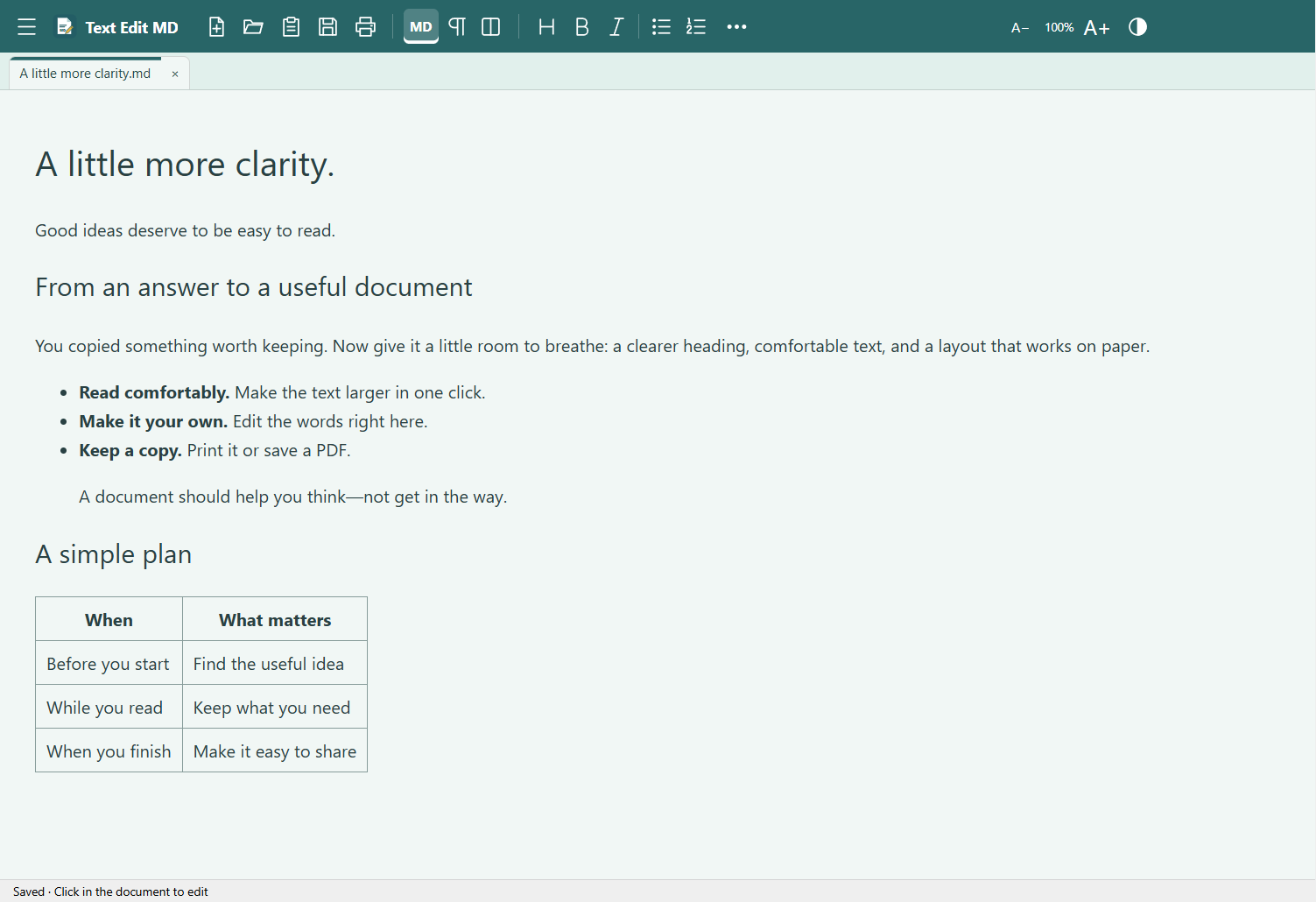
Drag files straight into the app. Keep documents in tabs, or give each one its own window.
 Text Edit MD
A FREE WINDOWS DESKTOP APP
Open a Markdown file. Paste an AI answer. Make a quick edit. Get it onto paper—without turning a simple document into a project.
Download Windows installerPrefer no installation? Get the portable ZIP.
For the files you actually receive.
LESS FRICTION. MORE READING.
You shouldn’t need a workspace, a tutorial, or a subscription just to read something someone sent you.
Drag files straight into the app. Keep documents in tabs, or give each one its own window.
Edit formatted Markdown directly. The source and split views are one click away when you want them.
Keep text-size controls within reach. Choose light, book, or dark paper and a color that feels right.
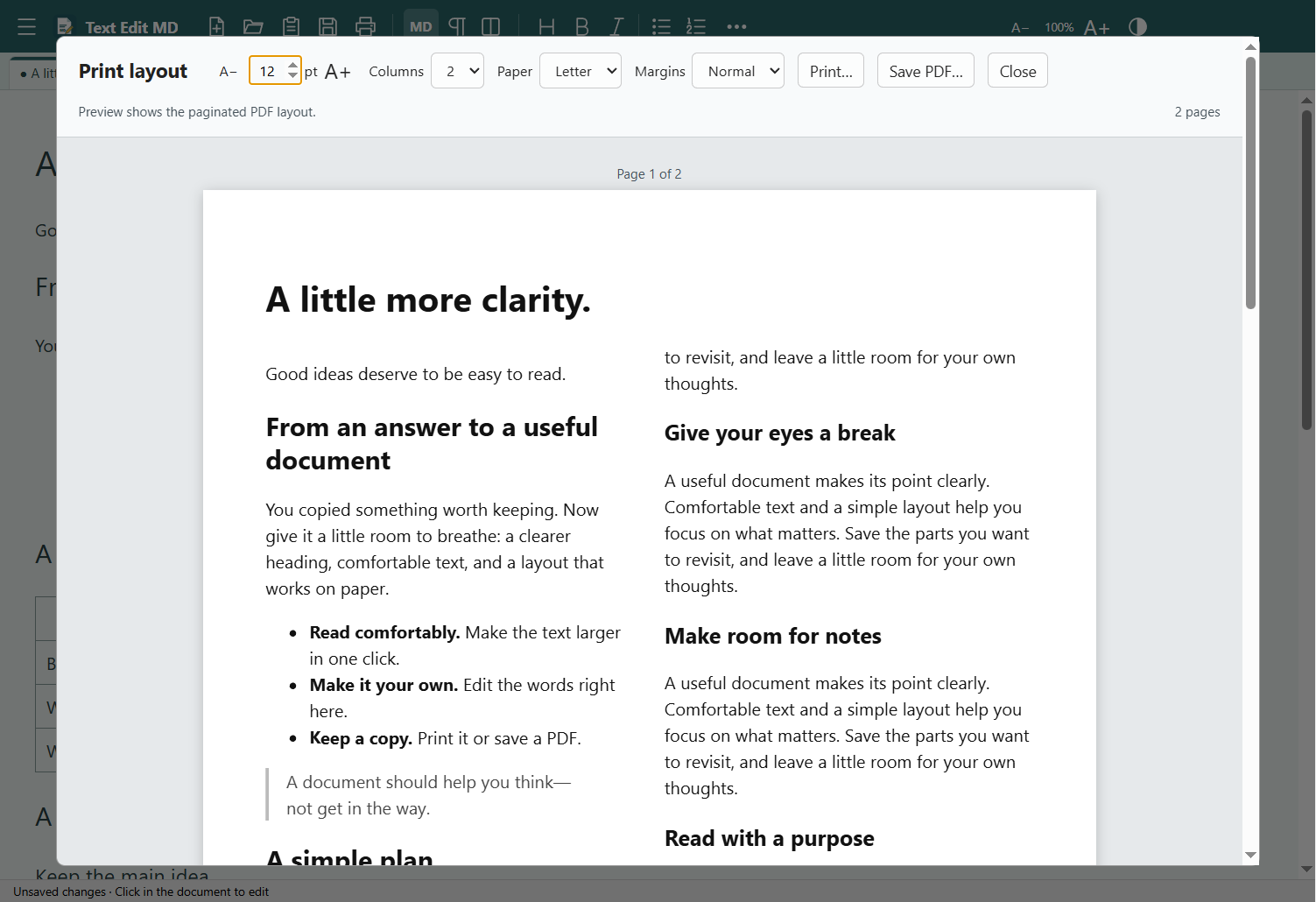
THE PART YOU’LL WANT ON PAPER
Choose the text size, margins, paper, and columns. See the actual pages before you print or save a PDF.
FROM CHAT TO SOMETHING USEFUL
Copy an answer from your AI app and choose Paste as document. Read it comfortably, tidy it up, and print a copy you can use.
Turn on Show as Markdown. The formatting appears without changing your original text.
If the app spots Markdown patterns, it can offer to save a .md copy. You decide.
FREE ON WINDOWS
Created by KW Mackey for everyday reading, editing, and printing.
Version 0.9.3 · Windows x64
EXE installerGuided setup ·
Optional desktop shortcut and file associations.
No installation ·
Extract the whole folder, then open Text Edit MD.exe.
A QUICK START
Installer: download the EXE and follow setup. It installs for your Windows user and adds a Start menu entry. A desktop shortcut and Markdown/text file associations are optional; Windows confirms your default-app choice.
Portable ZIP: right-click the download and choose Extract All. Open the extracted folder, then open Text Edit MD.exe. Keep the folder’s files together.
It’s ordinary text with simple formatting marks—such as # for a heading and ** for bold. AI apps often use it because it’s easy to copy and share. Text Edit MD shows the readable document and lets you see the original whenever you want.
Markdown and plain-text files, plus saved HTML documents. Markdown opens with formatting on. Plain text stays plain unless you turn on the MD switch. HTML displays readable document content; scripts, external page styling, and remote images aren’t loaded.
No. The desktop app processes documents on your computer. It has no account requirement, advertising, or analytics. Links you choose to open use your web browser.
This initial release is not digitally signed. Windows may show an unfamiliar-app or publisher warning. Only proceed if you trust this download; the checksum above lets you verify the file. Signing is not included in this release.
This download is for 64-bit Windows PCs. A phone edition is being considered, but it isn’t available yet.
WHY I MADE THIS
Reading a document shouldn’t be a procedure.
Text Edit MD grew out of the everyday frustration of getting useful text onto the screen—and onto paper—without unnecessary overhead.
KW Mackey Creator of Text Edit MD